
QR Payments
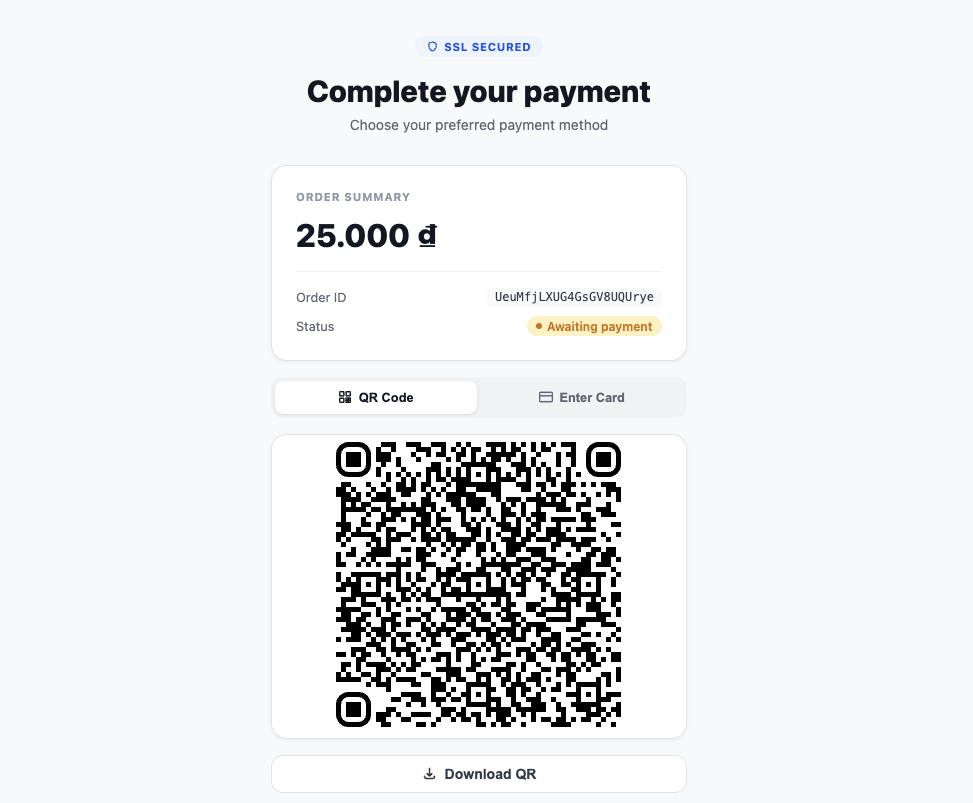
Render a Napas QR code inside a secure iframe. The SDK polls payment status automatically and fires callbacks for success, failure, and errors.
bahn.mountPaymentQR(selector, clientSecret, options?)
Mounts a QR code iframe and starts the payment flow.
typescript
const qr = bahn.mountPaymentQR("#qr-container", "pi_secret_abc123", {
  height: "350px",
  pollIntervalMs: 3000,
  qrStyle: {
    dotsOptions: { color: "#2563eb", type: "rounded" },
    cornersSquareOptions: { color: "#1e40af", type: "extra-rounded" },
  },
});

qr.on("ready", () => console.log("QR code rendered"));
qr.on("payment:success", (data) => console.log("Payment succeeded", data));
qr.on("payment:failed", (data) => console.log("Payment failed", data));
qr.on("payment:error", (err) => console.error("Payment error", err));
Parameters:
| Param | Type | Required | Default | Description |
|---|---|---|---|---|
selector | string | Yes | — | CSS selector for the mount container |
clientSecret | string | Yes | — | Payment intent client secret from your backend |
options.height | string | No | "300px" | Iframe height |
options.pollIntervalMs | number | No | 3000 | Polling interval in milliseconds (min: 1000, < 0 disables polling) |
options.qrStyle | QRStyle | No | — | Visual style options for the QR code |
Returns: IQRComponent
IQRComponent
typescript
type QREvent = "ready" | "payment:success" | "payment:failed" | "payment:error";

interface IQRComponent {
  unmount(): void;
  on(event: QREvent, handler: (data?: unknown) => void): void;
  off(event: QREvent, handler: (data?: unknown) => void): void;
  download(name?: string): void;
}
Events
| Event | When | Data |
|---|---|---|
ready | QR code rendered and ready | none |
payment:success | Payment confirmed as successful | Payment intent object |
payment:failed | Payment failed or canceled | Payment intent object |
payment:error | Network or unexpected error | { code, message } |
The payment:error handler receives an error object with a machine-readable code:
code | Meaning |
|---|---|
payment_failed | The payment reached a terminal failed/canceled state (also fires payment:failed) |
invalid_state | Status polling returned an unexpected payment-intent state |
qr_creation_failed | The QR code could not be generated |
network_error | A network request failed |
qr.download(name?)
Downloads the QR code as a PNG image. Default filename is "qr-code".
typescript
qr.download("napas-qr");qr.unmount()
Removes the QR iframe and cleans up event listeners. Called on the IQRComponent returned by mountPaymentQR().
typescript
const qr = bahn.mountPaymentQR("#qr-container", clientSecret);
// later
qr.unmount();
QRStyle
typescript
interface QRStyle {
  dotsOptions?: {
    color?: string;
    type?: "square" | "dots" | "rounded" | "extra-rounded" | "classy" | "classy-rounded";
  };
  backgroundOptions?: {
    color?: string;
  };
  cornersSquareOptions?: {
    color?: string;
    type?: "dot" | "square" | "extra-rounded";
  };
}
Polling Behavior
By default, the SDK polls payment intent status every 3 seconds. The polling:
- Fires
payment:successwhen the status issucceeded - Fires
payment:failedwhen the status iscanceled,failed, orrequires_payment_method - Continues polling for any other status
- Respects
pollIntervalMs(minimum 1000ms) - Set
pollIntervalMs < 0to disable automatic polling entirely
Full Example
typescript
const bahn = new Bahn({ pk: "pk_live_...", environment: "production" });

// Assume your backend creates a PaymentIntent and returns a client_secret
const clientSecret = await fetch("/api/create-qr-payment", {
  method: "POST",
  body: JSON.stringify({ amount: 200000, currency: "vnd" }),
}).then(r => r.json()).then(d => d.client_secret);

const qr = bahn.mountPaymentQR("#qr-code", clientSecret, {
  height: "320px",
  pollIntervalMs: 2000,
  qrStyle: {
    dotsOptions: { color: "#2563eb", type: "rounded" },
    cornersSquareOptions: { color: "#1e40af", type: "extra-rounded" },
  },
});

qr.on("ready", () => {
  document.getElementById("download-btn")!.addEventListener("click", () => {
    qr.download("my-napas-qr");
  });
});

qr.on("payment:success", (data) => {
  window.location.href = "/payment/success";
});

qr.on("payment:failed", (data) => {
  window.location.href = "/payment/failed";
});